Works with the tools already on your desk.
Three connections run the whole loop: your bank, your inbox, and your books. What is live is labeled live; what is new is labeled honestly.
Live today

Xero
LiveReceipt PDFs uploaded to Xero Files over OAuth. The connection and delivery-status webhook are live.

Stripe
LiveA bank-side ledger feed for Stripe Issuing purchases and Stripe fees, including fees on customer charges. Gross customer payments and payouts are not imported as spending.

Wise
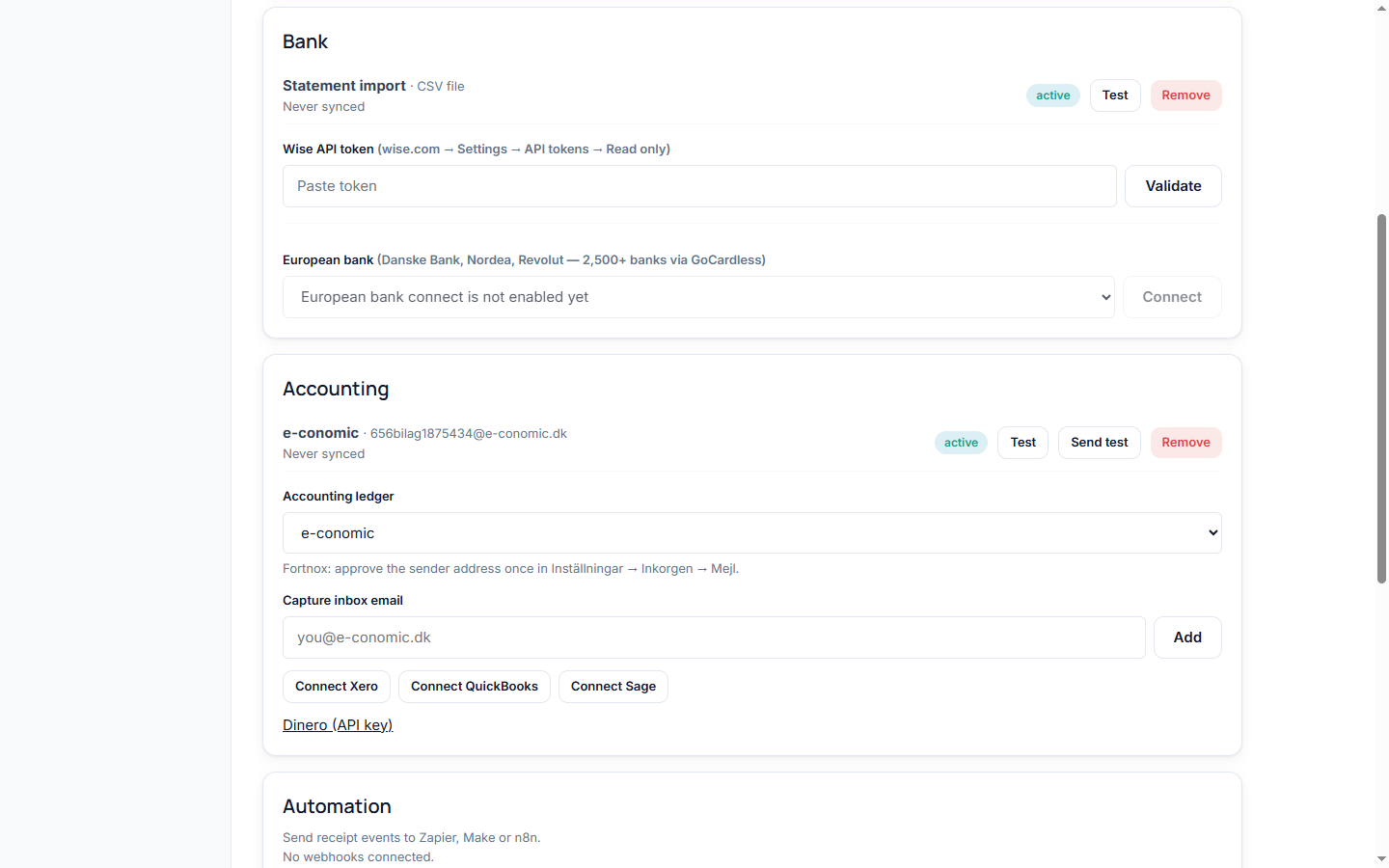
LiveBusiness account charges, read through a read only API token you create in Wise settings. Polling every few minutes, plus about a year of history through backfill.

Gmail
LiveReceipt and invoice attachments, found by searching your inbox. Read only access, granted through Google's own consent screen. Raw email content is never stored.

Outlook
LiveThe same inbox search for Microsoft accounts, on the same read only promise as Gmail. Consent runs through Microsoft's own screen.

Any mailbox, via IMAP
LiveFastmail, Zoho, iCloud, or a self-hosted server: connect with an app password and Receipt Pair searches it like any other inbox. Bank alert emails on the same mailbox can feed transactions too.

Any bank, via CSV or PDF
LiveEvery bank can export a statement. Drop the CSV or PDF in and the columns are detected automatically: dates, amounts, currencies, merchants, in English, Danish, and German headers.

Your inbound address
LiveEvery workspace gets its own receipts address. Forward a receipt email, or have a vendor send invoices straight to it, and the attachment is matched and filed automatically.
 Live via capture inboxAPI on the way
Receipts file to your e-conomic capture email today; direct API submission is next. How the e-conomic loop works.


 Live via capture inbox
Billy, Fortnox, Visma
Any accounting system that gives you a receipt capture email works the same way. Paste the address once and matched receipts land there as PDFs, each sent once, never twice.
Connect in early access
Availability depends on the provider and its setup requirements. Approval and regional limits are listed below.

QuickBooks
Early accessReceipt PDFs uploaded straight into your QuickBooks company's attachments through Intuit's consent screen. These are standalone attachments; they are not linked to transactions.

Sage
Early accessSage Business Cloud Accounting over OAuth. For businesses registered in the UK, Ireland, Canada, US, Germany, Spain, or France. Sage Accounting has no Denmark region.

Dinero
Early accessThe Dinero provider uses an API key and org number. Early access depends on our platform API approval, which is still pending.

Telegram
Early accessSend receipt photos or documents to a linked bot chat. Matches enter review; receipts without a matching charge are parked for later. Bot setup is pending.
Missing yours? Tell us what you use. The request list sets the order.
Send receipt events anywhere
Every match, send, and miss can fire an outbound webhook. Point one at Zapier, Make, or n8n and your own automations take it from there: Slack pings, sheet rows, custom filing.
Webhooks are signed and per workspace. Add them under Integrations, no code needed.
Read only means read only.
Email scope
Gmail and Outlook access is the read only scope. Receipt Pair cannot send, delete, label, or modify a single message.
Bank tokens
Wise tokens are read only by design. The token you create cannot move money, and neither can we.
Encrypted at rest
Every credential is AES-256-GCM encrypted and scoped to your business. Nothing is shared across accounts.
Your storage, your files
Receipt PDFs live in private storage under your business prefix, on EU infrastructure. Export or delete on request.
Two connections and it runs.
Bank plus inbox. Five minutes, then the pairing starts.
Start pairing free