
How to find every missing receipt before your accountant asks

A missing receipt is almost never missing. It is sitting in an inbox you stopped searching.
Your accountant sends the list. You spend an evening digging through email. You find half of them, guess at a few more, and promise next month will be different. It will not be, unless the way you look for receipts changes.
This post covers where receipts actually hide, what the hunt costs you, and the two ways to fix it: the manual method that works this weekend, and the automatic one that works every month after.
Where missing receipts actually hide
The receipt exists. The charge on your statement came from somewhere, and somewhere almost always emailed you about it. The problem is the receipt is not where you look first.
The usual hiding places:
- A different inbox. The purchase went on the business card, but the confirmation went to your personal address, or a side account, or a teammate's.
- Behind a different name. The bank shows "AMZN MKTP" or a payment processor, while the email came from the merchant's trading name.
- Inside a thread. The invoice is the third attachment in a reply chain that started as a quote request.
- In a portal, not an email. Some vendors only publish the invoice inside their own dashboard and email you a notification with no attachment.
- Spam and promotions folders. Automated senders get filtered more often than you would think.
Knowing this changes the search. You are not looking for "receipts". You are looking for a merchant's email, in any mailbox, under any of its names.
What the monthly hunt actually costs
Add it up honestly. The list from your accountant lands, and each unexplained line is a small project: open the inbox, guess the merchant name, search, scroll, open threads, check attachments, download, rename, forward.
At ten minutes per charge, a modest month of thirty unexplained transactions is five hours. That is before the second round, where your accountant asks follow-up questions about the ones you did find.
The other cost is quieter. Every unproven charge is a deduction you cannot defend. Tax authorities are clear that business expense claims need records: HMRC's record keeping rules and the IRS retention guidance both expect documents kept for years, not reconstructed later.
Connect your bank and inbox. Receipt Pair searches for matching receipts and keeps missing items available for follow-up.
Start pairing freeThe manual method, done properly
If you are doing this by hand this weekend, do it once and do it right.
Work from the bank statement, not from memory. Export the month as CSV. Every unexplained line is a task, and the CSV is the checklist that cannot lie about what is left.
Search by merchant variants. For each charge, search the inbox for the merchant's billing name and its trading name. Gmail's own search operators help: has:attachment plus the merchant name narrows fast.
Search by amount. When the name fails, the amount does not. An exact figure like 46.20 in the inbox is a strong fingerprint.
Check the date window. The receipt often arrives days after the charge. Search a week either side of the transaction date, not just the day.
Record what is truly missing. Some charges have no receipt: cash purchases, portal-only vendors, the coffee you forgot. Mark those separately. A short honest list is useful; a vague sense of dread is not.
This works. It also resets to zero next month, because the inbox kept filling while you were not looking.
The automatic method
The manual method fails because it depends on you remembering to do it. The automatic method works because it does not.
Receipt Pair watches the bank account for new charges. When one lands, it searches your connected inbox for candidate receipts: the merchant's name variants, the exact amount, the currency, inside a date window around the charge.
It waits before it searches, on purpose. Receipts usually arrive after the charge clears, so the search runs on a retry ladder rather than once at the wrong moment. Candidates get scored on how well they match, and a confident match saves as a PDF linked to that transaction.
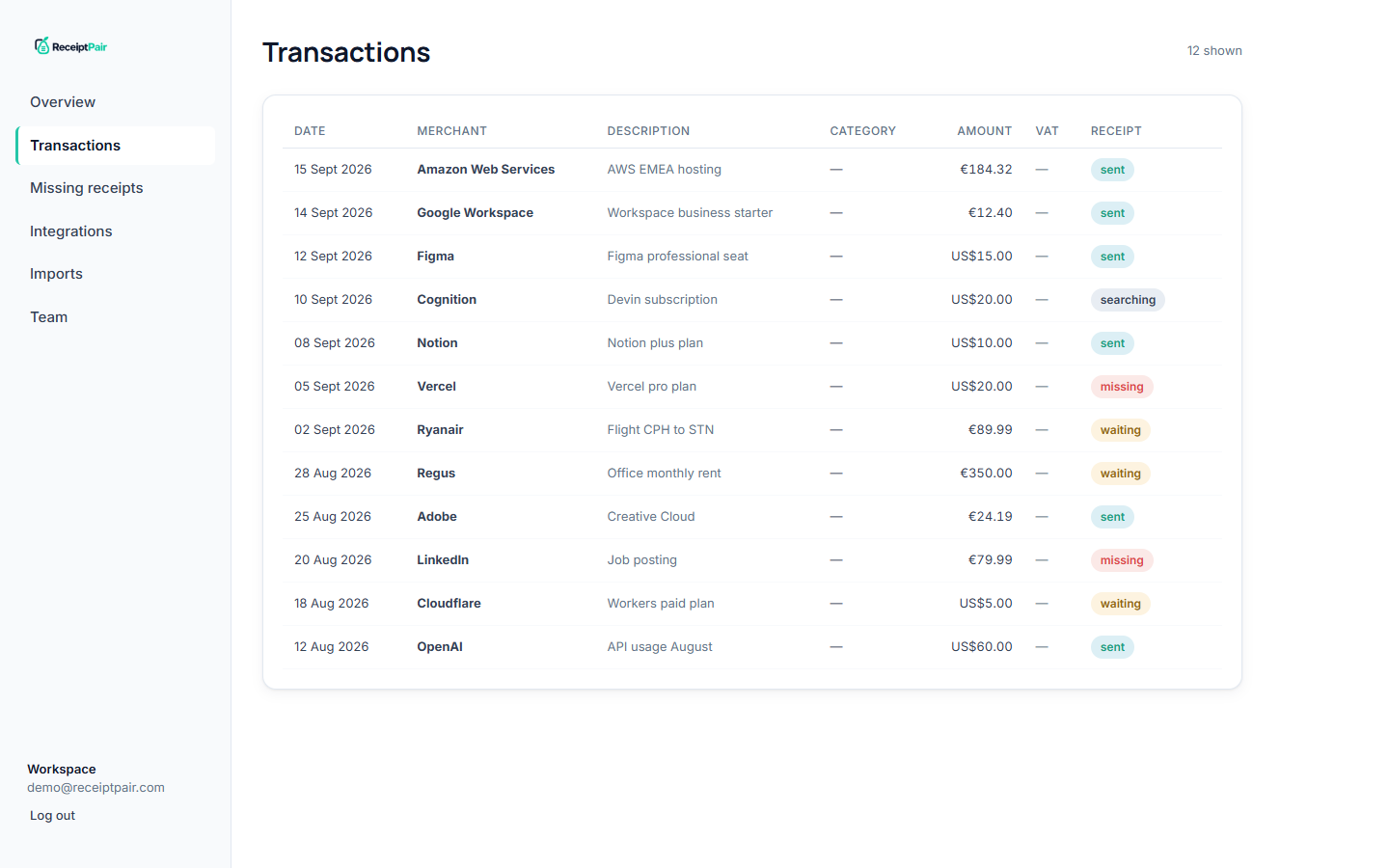
When nothing matches after the ladder runs out, the charge lands on the missing receipt report. That is the list your accountant actually needs: merchant, amount, date, no padding. It can be exported as CSV and handed over, or your accountant can be invited into the workspace to see it live.
What to do about the ones that are truly gone
Some receipts do not exist. Handle them deliberately instead of letting them blur into the noise:
- Portal-only vendors. Log in once, download the invoices, and set a monthly reminder. Or forward the vendor's notification to your capture address if it accepts them.
- Cash and card-in-person. Photograph the paper receipt at the till and mail it to yourself, so it lands in the same inbox the search already covers.
- Old months. Historical charges can be caught up the same way: a statement upload plus an inbox search reach as far back as your records go.
The goal is not a perfect record. It is a record where every gap is a known gap, listed and chased, instead of an unknown one discovered in March.
The short version
Missing receipts are a search problem, and search is a thing software does better than people on a Sunday night. Do the manual pass once to clear the backlog, then let the loop run: bank charge in, inbox searched, receipt filed, leftovers reported. Your accountant stops asking because there is less to ask about.
For the app workflow, see the missing receipt report and bulk receipt imports.
Try Receipt Pair. Connect your accounts, then review the first results. Free while in early access.
Start pairing free